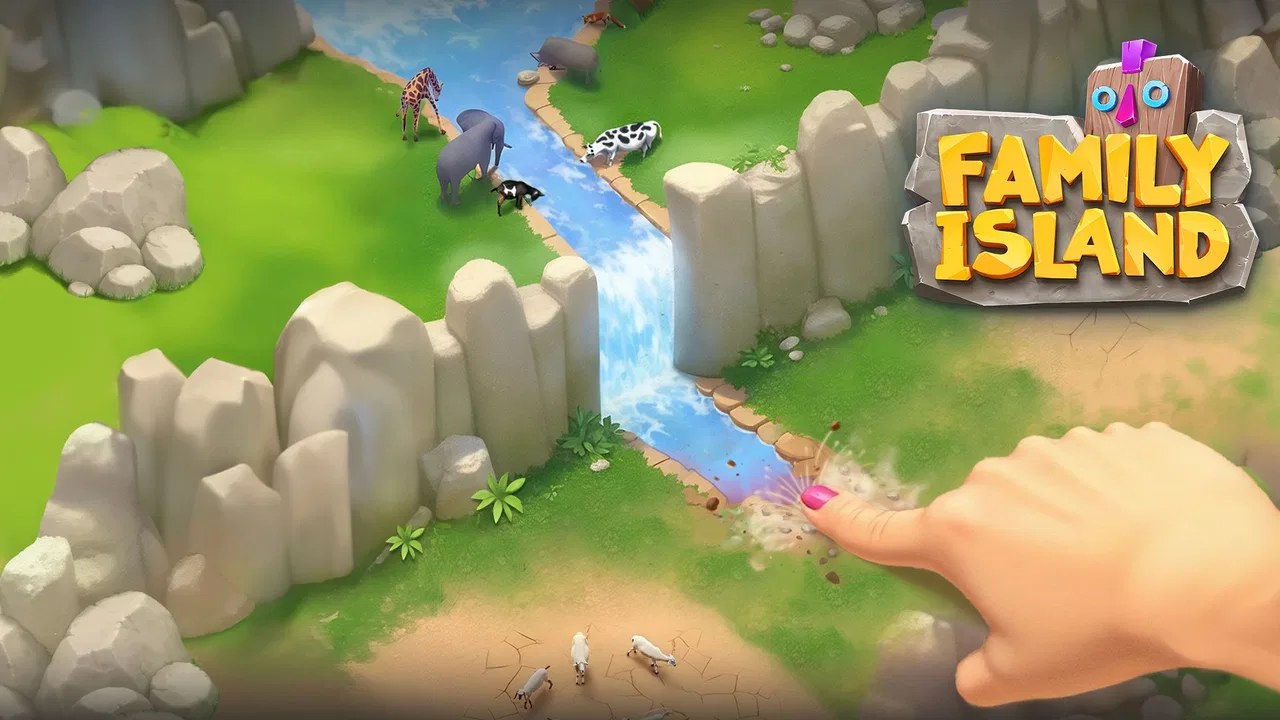
Family Island™ — Farming game
- 4.5
- Rating
- 50.00M
- Installs
- Free
- Price

 Analysis by App-foxy
I spent time with Family Island™ as a casual farming and adventure game, and my first impression was that it is less about rushing toward a single objective and more about keeping a small island community moving. You gather materials, make choices about what to work on next, and gradually turn a rough starting area into something more useful. That rhythm makes it easy to pick up for a few minutes, although it also means progress can feel slower when several tasks compete for the same resources.
The game is free to download and is made by Melsoft Games Ltd. It is aimed at Everyone, runs on Android 7.0 or later, and has reached over 50 million installs. Those details match the kind of audience it attracts: people who want a colorful, approachable game rather than a complicated strategy title. I would recommend it most to players who enjoy farming, light exploration, crafting, and a steady stream of small objectives.
Getting started without unnecessary frustration
The opening section is easy to understand, but the first useful habit is to slow down and read what each task is asking before tapping through it. In a game built around collecting and producing items, an early action can use materials that would have been more helpful for another objective. I found that checking the next few goals before spending everything made the beginning feel much smoother.
You May Also Like

 Blood Strike: 2.5 Anniversary
Blood Strike’s Loadouts Turn Every Drop Into a Tactical Gamble
A close look at Blood Strike’s custom loadouts: how fast access to signature weapons reshapes its battle royale rhythm, rewards preparation, and narrows the gap between fights.

 Pandora - Music & Podcasts
Pandora’s Music Is Easy to Start, but Harder to Recover
Pandora’s strength is its low-effort path from a seed to a station. Its weak spot is how much confidence it asks you to place in connection, setup, and quiet recovery.

 8 Ball Pool
 Is Built on Rivalries, Rematches, and Routine
A close look at the rivalries, rematches, shared routines, and unanswered safety questions that turn a quick pool match into a persistent mobile community.

 Samsung Music
’s Quiet Strength Is Playing What You Already Own
Its reach comes less from spectacle than from dependable access to a personal library. That simplicity is both the app’s strongest retention engine and its ceiling.

 AccuWeather: Weather Radar
AccuWeather Review: A Quick, Clear Forecast for Everyday Decisions
For everyday plans, the best forecast is the one you can understand quickly. AccuWeather makes rain timing, radar, and local conditions easy to act on, with a few trade-offs.

 Hill Climb Racing
Why Hill Climb Racing Still Turns Crashes Into One More Run
A tiny car, a bumpy hill and one more upgrade: Hill Climb Racing keeps resurfacing because its simple chaos makes every near-miss feel personal.
More From Our News Desk
View All News


That is especially useful if you are installing it on an older device. The minimum operating-system requirement is Android 7.0, but meeting that requirement does not automatically guarantee a perfect experience on every phone or tablet. Available storage, background apps, battery-saving settings, and a crowded device can all affect how comfortably a game runs. Before blaming the game for a slow start, I would close other demanding apps, restart the device, and make sure the installation has finished completely.
On iPhone or iPad, the same practical rule applies: give the first launch time to settle, avoid switching repeatedly between apps, and use a stable connection while the game is loading or updating. If the screen appears stuck, force-closing it once and reopening it is a sensible first step. I would not repeatedly reinstall immediately, because that creates extra work and can make it harder to tell whether the original problem was temporary loading, device pressure, or a connection issue.
The game’s Everyone rating makes it suitable for a broad audience, but that should not be confused with being entirely friction-free for children. The free entry point is inviting, while optional in-app purchases range from $0.99 to $149.99 per item. If a child will play, I strongly suggest reviewing the device’s purchase controls first. The most important setup check is deciding who controls spending before progress and optional purchases become part of the routine.
What the first sessions teach you
Family Island works best when I treat its tasks as a queue rather than a checklist that must be cleared instantly. A request for one item may lead to another request that needs the same kind of material, so I prefer to collect broadly before committing to a large production chain. This is a small change in play style, but it reduces the feeling of constantly running out of something just after using it.
I also recommend keeping an eye on the island’s available space. Expansion and improvement games can become visually busy, and a crowded layout makes it harder to see what needs attention. Leaving practical gaps around important buildings or work areas helps me identify unfinished tasks quickly. It is not about creating a perfect decorative island; it is about making the next action obvious when I return after a break.
That approach makes the game a good fit for short everyday sessions. For example, I can open it during a coffee break, finish a collection task, start a longer production step, and close it without needing a long uninterrupted play period. Later, I return with a new objective ready. Someone looking for a complete story chapter or a fast competitive match may find this pace too gentle, but it suits players who enjoy gradual improvement.
Where players commonly get stuck
The most common sticking point is not understanding the general goal; it is choosing what to do when several goals are available at once. The temptation is to tap every visible action immediately. I found better results by identifying which task unlocks useful progress and which one is merely convenient. If an objective consumes a scarce material, I postpone it until I know it will not block a more important upgrade or request.
Another source of friction is expecting every activity to provide instant progress. Farming and crafting loops naturally involve waiting, collecting, and returning. If you prefer constant action, the game can seem repetitive. I would not choose it as a substitute for an arcade game or a traditional puzzle game with rapid, self-contained rounds. Its appeal comes from the continuity between sessions, not from intense moment-to-moment challenge.
Energy or action limits, where present in this style of game, can also change how a session feels. Rather than spending everything on the first visible obstacle, I prefer to use a short session for planning and low-cost collection, then save more demanding actions for when they support a clear objective. This makes the limits feel like a reason to pace myself instead of a wall that ends the session abruptly.
When progress appears blocked, I first check whether I have overlooked a required item, unfinished production step, or interaction elsewhere on the island. I then look at the task wording again and inspect nearby areas rather than repeatedly tapping the same object. Many apparent bugs in progression games are actually missed prerequisites. If the objective still does not advance after the requirement is clearly met, restarting the game is a reasonable general troubleshooting step.
Recovering a disrupted workflow
My preferred recovery method is simple: stop spending resources, close the game normally if possible, reopen it, and check the current objective before starting anything new. This gives the game a chance to refresh its visible state and prevents a rushed second attempt from creating another confusing result. If the issue appears after changing networks, I would return to a reliable connection and try again rather than repeatedly pressing the action.
A useful habit is to remember what you were doing immediately before the problem appeared. Did the game freeze while collecting, fail after an area transition, or return to the island without showing the expected reward? That distinction helps you decide whether to retry a single action, restart the session, or inspect the device. I would avoid clearing app data casually, because that can remove local information and is a much more disruptive step than closing and reopening the game.
If an update has just been installed, I would also allow the game to finish any initial loading before judging performance. The current version is 2026010.4.88210, so keeping the app updated is sensible when a problem may have been addressed in a newer release. At the same time, an update is not a universal cure. If the device is nearly full, overheating, or struggling with many background processes, the same symptoms may remain after updating.
For account or progress concerns, I would be cautious about uninstalling the game as a first response. Before taking any irreversible step, confirm that you understand how your progress is connected on the device and that you can return to the same game state. I am deliberately conservative here: protecting progress is more important than trying a dramatic fix when a restart or connection check may solve the immediate problem.
When the game is not the real cause
Some loading and connection problems originate outside the app. A weak Wi-Fi signal, an overloaded home network, a temporary mobile-data issue, or a device switching between connections can make a normal online session look broken. Trying a different stable network, moving closer to the router, or briefly restarting the connection can help identify the source without changing the game itself.
Device conditions matter too. Low free storage can interfere with installations and updates, while aggressive battery-saving modes may limit background activity. Heat can also reduce performance, especially if the phone is already handling video, navigation, or other demanding apps. I would test Family Island after closing those apps and letting the device cool before concluding that the game is at fault.
Notifications and purchase prompts can also be mistaken for gameplay requirements. The game is free, but optional purchases are part of its business model. I never treat a purchase as the automatic solution to a blocked task. First I check whether the item can be earned through ordinary play, whether I have missed a production step, and whether waiting or returning later is enough. This is one of the clearest differences between enjoying the game casually and feeling pressured by its shop.
Compared with a standalone puzzle game, this title asks for more patience and resource management. Compared with a pure farming simulator, it places more emphasis on adventure-style objectives and movement through a changing island setting. That combination is its strongest point for me, but it also means it may not satisfy someone who wants either deep farming realism or tightly designed puzzles with one correct answer.
Who will enjoy the island, and who should skip it
I think it is a strong match for players who like checking in several times during the day, organizing resources, and seeing a settlement become more developed over time. It also works for families who want an approachable game with an Everyone age rating, provided an adult handles purchase settings and explains that optional spending is not necessary for basic enjoyment.
I would be more cautious recommending it to anyone who dislikes timers, repeated gathering, or tasks that build on one another. Players who want a game that can be completed in one sitting may find the ongoing structure tiring. It is also not my first choice for someone seeking demanding strategy, competitive multiplayer intensity, or a puzzle experience where every minute brings a new challenge.
The rating of 4.5, based on around 1.6 million ratings and roughly 74 thousand written reviews, suggests that the overall formula has connected with a large audience. I take that as useful context rather than a guarantee. The same relaxed progression that appeals to many players can feel slow to someone who wants immediate rewards. The right question is not whether the game is universally good, but whether its island-building rhythm fits the way you like to play.
My practical verdict
After using it as a casual game rather than trying to rush through it, I found Family Island most enjoyable when I planned small goals and accepted that progress would happen over several visits. The combination of farming, collecting, crafting, and adventure gives each session a little direction, while the bright presentation keeps the experience approachable. I especially liked that a short break can still feel productive if I start one task, gather a few materials, and leave the island in a better state than I found it.
My main reservation is the familiar friction of free-to-play progression: limited resources, waiting, and optional purchases can influence how quickly the game moves. That does not make it a bad choice, but it does mean I would set spending boundaries and avoid treating every delay as a problem that needs a paid shortcut. If you can enjoy gradual progress, the limitations are easier to accept.
Melsoft Games Ltd has built a casual experience that is broad enough for newcomers but layered enough to reward a little planning. I would install it for relaxed sessions, especially if I wanted something more involved than a quick puzzle but less demanding than a full strategy game. I would skip it if I wanted instant action, a purchase-free experience, or a tightly bounded game with a clear ending in every session.
Overall, Family Island™ is worth trying as a free farming adventure game, with sensible expectations. Check your device, protect purchase settings, use a stable connection, and recover calmly when a task appears stuck. Once those practical details are handled, the game’s real strength becomes clear: it turns small, ordinary decisions about materials and timing into a steady sense of progress that is easy to fit around everyday life.
FAQs for Family Island™ — Farming game
01What is the main objective of Family Island™ — Farming game?
Family Island™ is a simulation game where players manage a family living on a deserted island. The main objective is to help the family survive and thrive by farming, crafting tools, and exploring new territories. Players engage in various tasks to rebuild the family’s home and discover new adventures.
02Is Family Island™ suitable for children?
Family Island™ is designed to be family-friendly, offering a safe and educational gaming experience for children. The game encourages problem-solving and strategic thinking while involving players in farming and crafting activities. However, parental guidance is advised to ensure appropriate screen time and understanding of in-game purchases.
03Are there in-app purchases in Family Island™?
Yes, Family Island™ offers in-app purchases that allow players to buy resources, energy, and other items to enhance gameplay. While the game can be enjoyed without these purchases, they can accelerate progress and unlock additional features. It’s important to manage these purchases, especially if children are playing.
04Can Family Island™ be played offline?
Family Island™ requires an internet connection to download updates and participate in certain events. However, once downloaded, parts of the game can be played offline. For the best experience, including synchronization of progress and access to all features, a stable internet connection is recommended.
05How does Family Island™ compare to other farming games?
Family Island™ stands out due to its unique storyline focusing on a family’s survival on a deserted island. Unlike traditional farming games, it combines elements of adventure and exploration with farming tasks. The game’s vibrant graphics and engaging plot make it appealing to a wide audience.
Pros
- Engaging storyline keeps players interested.
- Vibrant graphics enhance the gaming experience.
- Regular updates with new levels and events.
- Easy to learn with intuitive controls.
- Offline play available for convenience.
Cons
- In-app purchases can be pricey.
- Progress can be slow without spending.
- Requires a stable internet for updates.
- Some tasks become repetitive over time.
- Advertisements can be intrusive.

Family Island™ — Farming game
Gallery